
PMPskilz: Master Real-World Computing. Anywhere, Anytime.
Empower students to learn Word, Excel, PowerPoint alternatives, creative digital arts, coding compilers, and AI prompt engineering without costly Microsoft 365 or software subscriptions. Available both as a native offline app for Windows & macOS, and a full cloud-based Windows 11 virtual desktop inside PMP LMS.
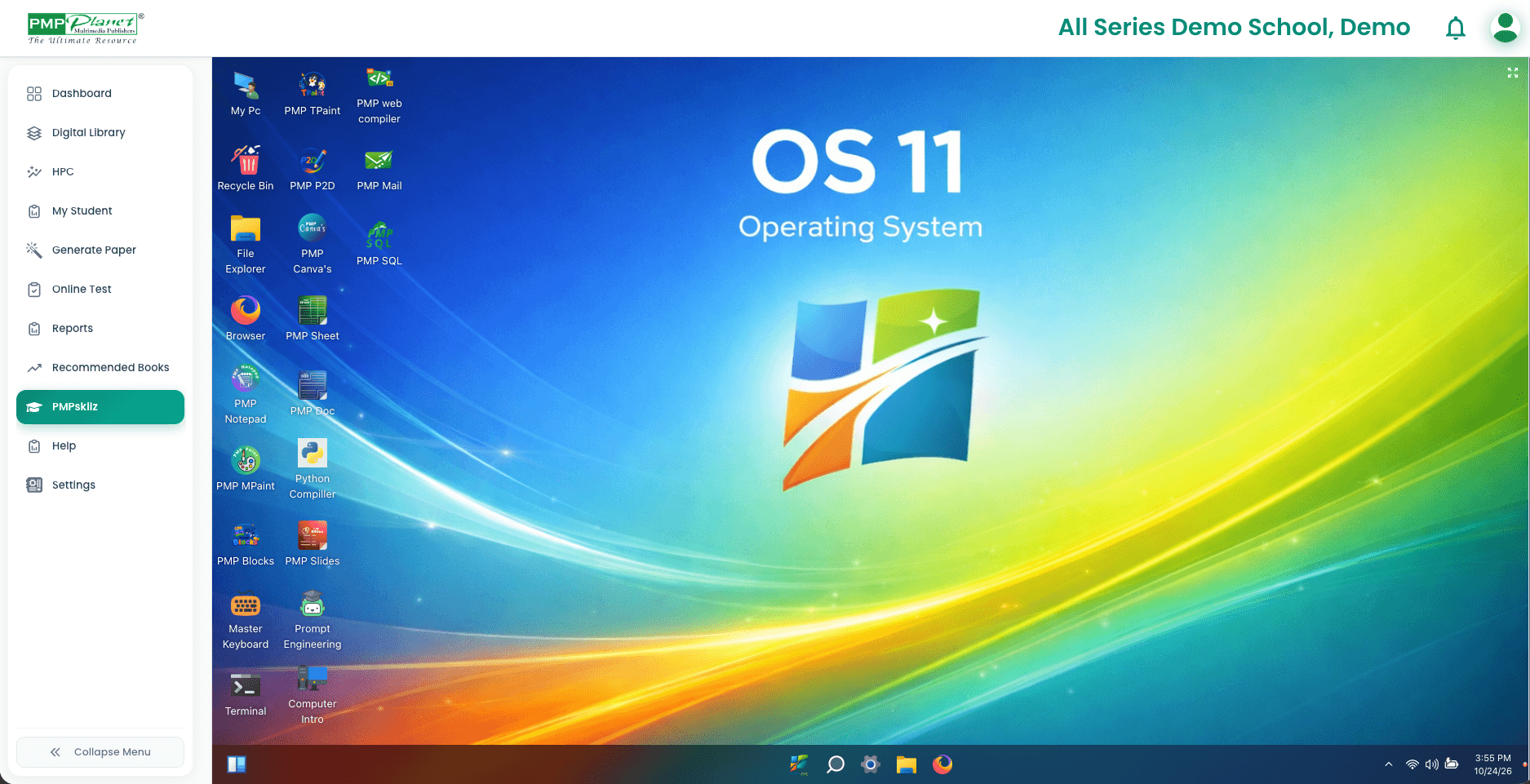
Instant single sign-on launcher with integrated AI Assistant & auto-grading
14 Purpose-Built K-12 Applications
Every tool is aligned with PM Publishers national curriculum frameworks—bridging introductory primary digital literacy to senior secondary computational engineering.
PMP Doc
Word Processing Alternative
Full rich-text editor with tables, header/footer formatting, spell checker, and .docx export. Teaches document design without M365 accounts.
PMP Sheet
Spreadsheet & Data Analysis
Cell formulas (SUM, AVERAGE, IF, VLOOKUP), interactive bar & pie charts, and data sorting exercises modeled after real-world corporate spreadsheets.
PMP Slides
Presentation Builder
Slide layout templates, transitions, shapes, speaker notes, and presentation rehearsal timers. Exports directly to PDF and interactive slide decks.
PMP Canvas & TPaint
Creative Digital Graphics & Tux Paint
Integrated vector drawing, paint buckets, stamp packs, magic textures, and kid-friendly audio feedback. Includes classic Tux Paint lessons for primary students.
Python Compiler & Quest
Integrated Programming IDE
Integrated Python 3.11 environment with interactive syntax highlight, gamified algorithm puzzles (Python Quest), and console I/O execution without installs.
Prompt Engineering Lab
Generative AI Ethics & Skills
Interactive learning environment guiding students in structured prompting, bias detection, and logical verification. Includes built-in safety filters for school safety.
PMP Web Compiler
HTML5, CSS3 & JavaScript Studio
Real-time split-screen web page rendering. Students type HTML & CSS tags with immediate DOM updates, live previewing, and asset manager.
PMP SQL Playground
Relational Database Simulator
Practice SELECT, INSERT, UPDATE, JOIN, and schema modeling on pre-seeded school, sports, and library tables without configuring complex database servers.
Master Keyboard & Intro
Touch Typing & Computer Basics
Ergonomic finger placement, gamified typing sprints (WPM and accuracy metrics), and interactive hardware tours (CPU, RAM, input/output peripherals).
Offline Desktop vs. Online Virtual OS
Choose what works best for your campus infrastructure—or deploy both concurrently so students learn in labs and review seamlessly at home.
Equip Your School with PMPskilz
Schedule an institutional walkthrough with our curriculum engineers or download the free offline desktop installer package for your school IT lab.
Complimentary for schools adopting PM Publishers Computer Series. No credit card or software license required.